Graphics Primitives
In chapters Let's draw a point and Draw multiple points we issued the draw call and if you recall it, it was something like this:
gl.drawArrays(gl.POINTS, 0, 3);
You must have wondered what is gl.POINTS here.
Well today we will discuss on this in detail.
Fundamental elements of Plane geometry
Let’s start with a simple question:
What is the smallest thing you can draw?
A point.
A point has a position, but no size.
Now ask another question:
What can you make using two points?
A line.
And with three points (as long as they’re not on the same straight line), you get a triangle.
That’s it point, line, and triangle — are the fundamental elements of plane geometry used in computer graphics.
Why only these, why not quadrilaterals, circles etc. ?
Because you can make pretty much anything just from these three geometric elements,
- A quadrilateral is nothing but two triangles attached to each other.
- A circle is also a bunch of triangles arranged around the center of point.
- 3D Models made in blender are also millions of triangles stitched together.
Modern GPUs are extremely optimized to work with triangles, which is why triangles are the backbone of real-time graphics.
However, triangles alone cannot represent everything efficiently.
A single point or a line cannot be represented as a triangle without adding extra geometry.
That is why graphics APIs also provide points and lines as basic drawing primitives, alongside triangles.
Graphics Primitives
A graphics primitive is the simplest shape that the GPU can draw directly, individually, and efficiently.
More complex shapes are built by combining these basic primitives.
There are a total of 7 graphics primitives in WebGL.
You might wonder:
“How can there be 7 when we earlier said there are only three basic elements — point, line, and triangle?”
Actually the others are derived from the basic elements, and they help to reduce the buffer data you need to render things.
Let's see each one by one
1. gl.POINTS
We have already used this primitive in chapter 4 and 5.
Let's see a illustration to be more clear:
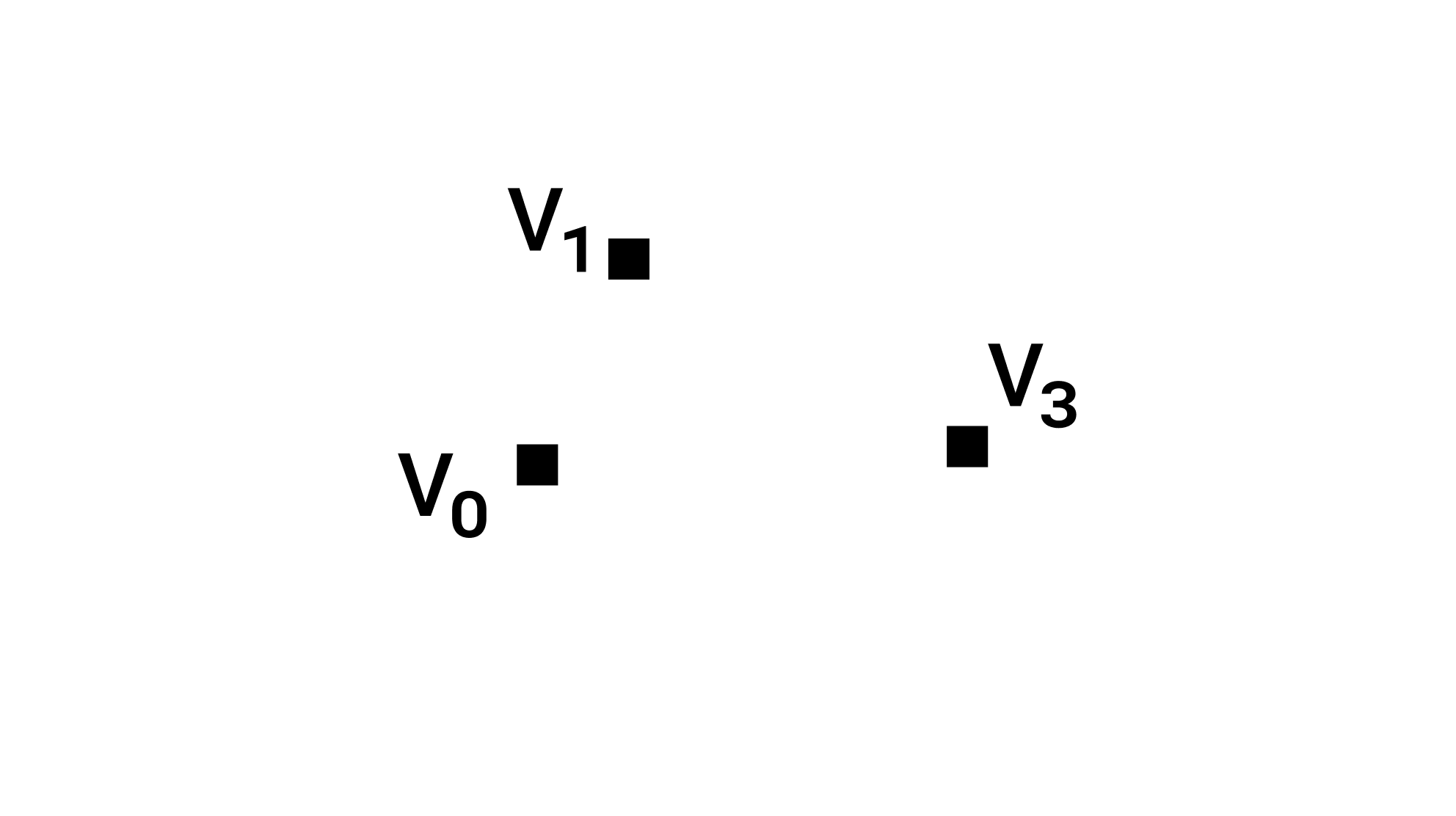
Vertices used to draw this: [V₀, V₁, V₂]
Draw Call: gl.drawArrays(gl.POINTS, 0, 3);
2. gl.LINES
Two points make up a line. Therefore, to define one line, we need 2 vertices.
To define two lines, we need 4 vertices, and so on.
Let’s look at an illustration to make this clearer:
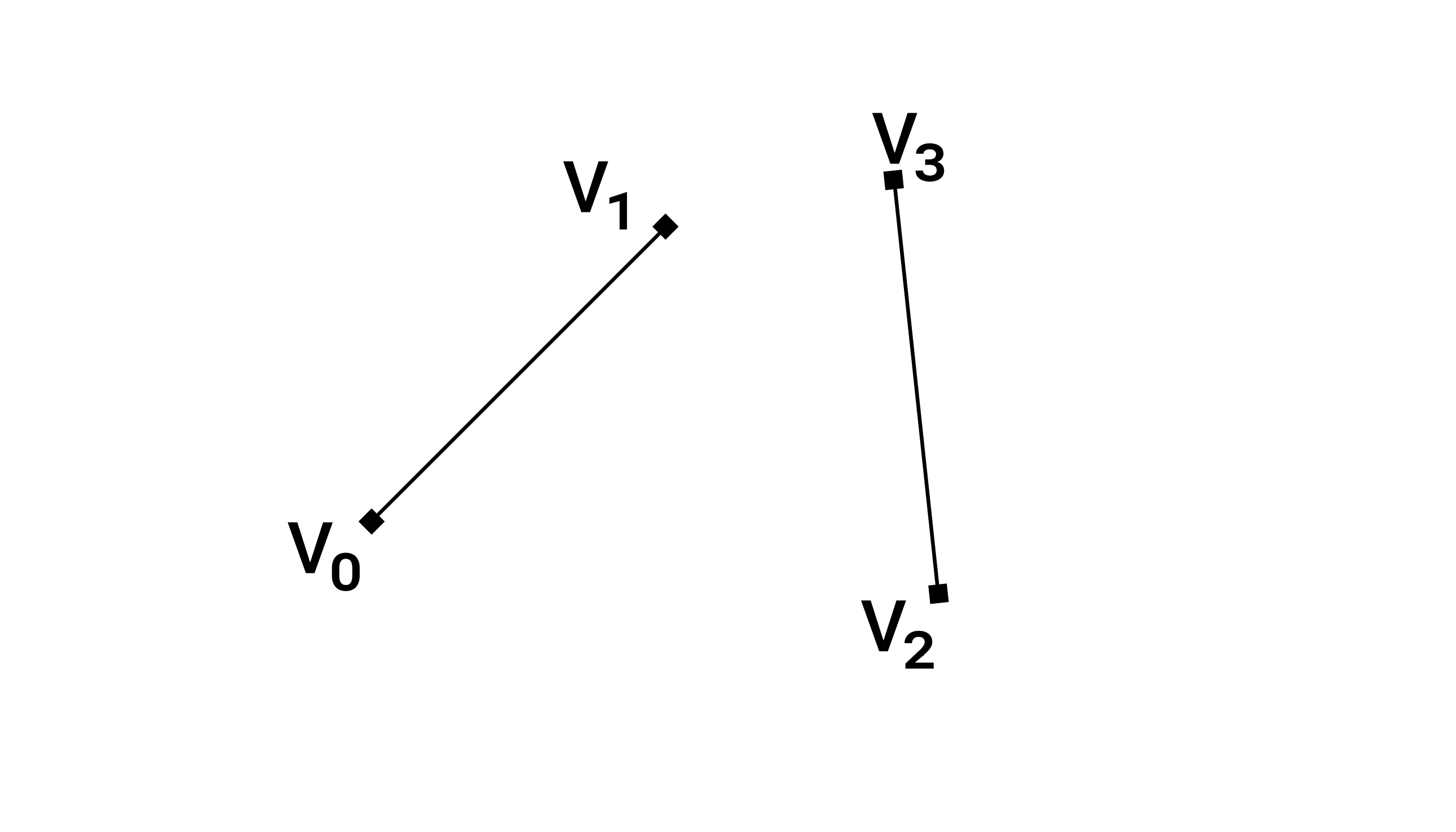
Vertices used to draw this: [V₀, V₁, V₂, V₃]
Draw Call: gl.drawArrays(gl.LINES, 0, 4);
You might be thinking why the third argument is 4 when we are drawing only two lines? Recall that the third argument is the number of vertices to draw, not the number of primitives.
3. gl.LINE_STRIP
gl.LINE_STRIP is derived from the line primitive and is used to draw multiple connected line segments.
For example, if you want to draw two connected lines from point A → B and B → C, gl.LINE_STRIP is the right choice.
Let's see an illustration to make it more clear.
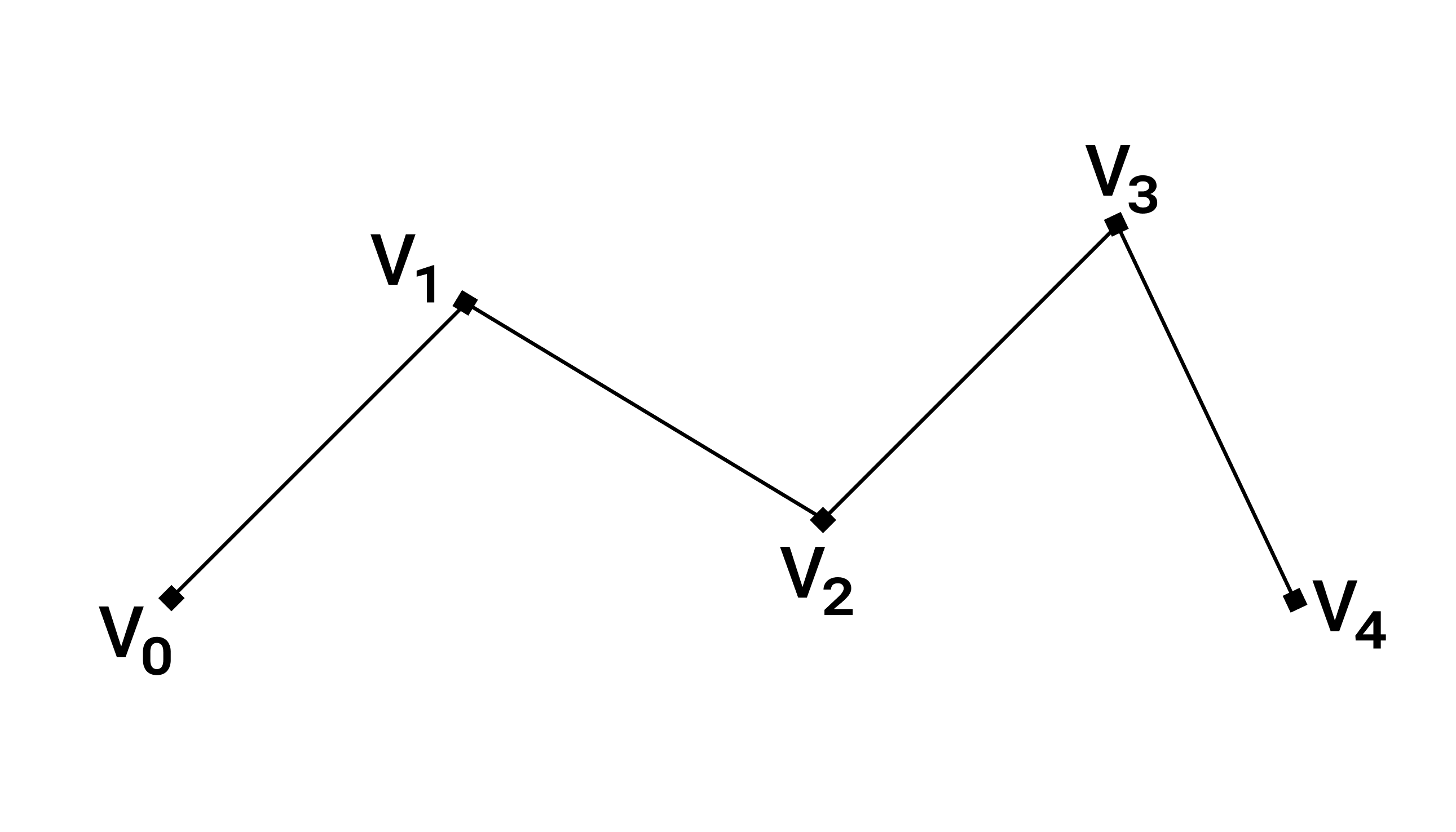
Vertices used to draw this: [V₀, V₁, V₂, V₃, V₄]
Draw Call: gl.drawArrays(gl.LINE_STRIP, 0, 5);
If you tried to make the same shape using gl.LINES you would need 8 vertices
[V₀, V₁, V₁, V₂, V₂, V₃, V₃, V₄, V₄, V₅]
Hence when you want to draw connected lines LINE_STRIP is a good choice.
4. gl.LINE_LOOP
gl.LINE_LOOP is exactly the same as gl.LINE_STRIP, with one small difference.
In addition to connecting each vertex to the next one, it also connects the last vertex back to the first vertex, forming a closed loop.
This makes it useful for drawing closed shapes like polygons, outlines, and boundaries.
Let's see an illustration to make it more clear.
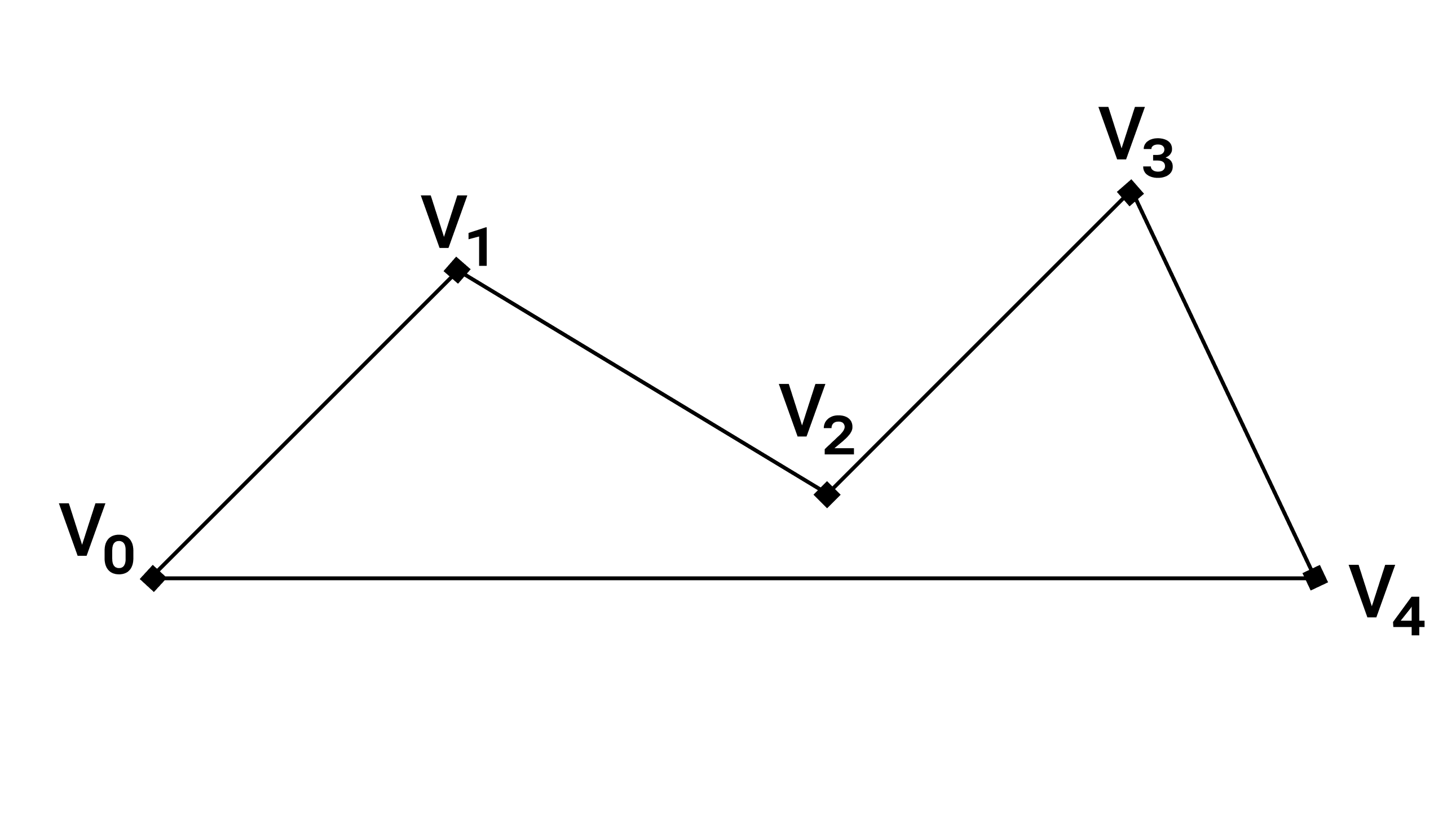
Vertices used to draw this: [V₀, V₁, V₂, V₃, V₄]
Draw Call: gl.drawArrays(gl.LINE_LOOP, 0, 5);
5. gl.TRIANGLES
I don't think I need to explain this.
Still let's see an illustration:
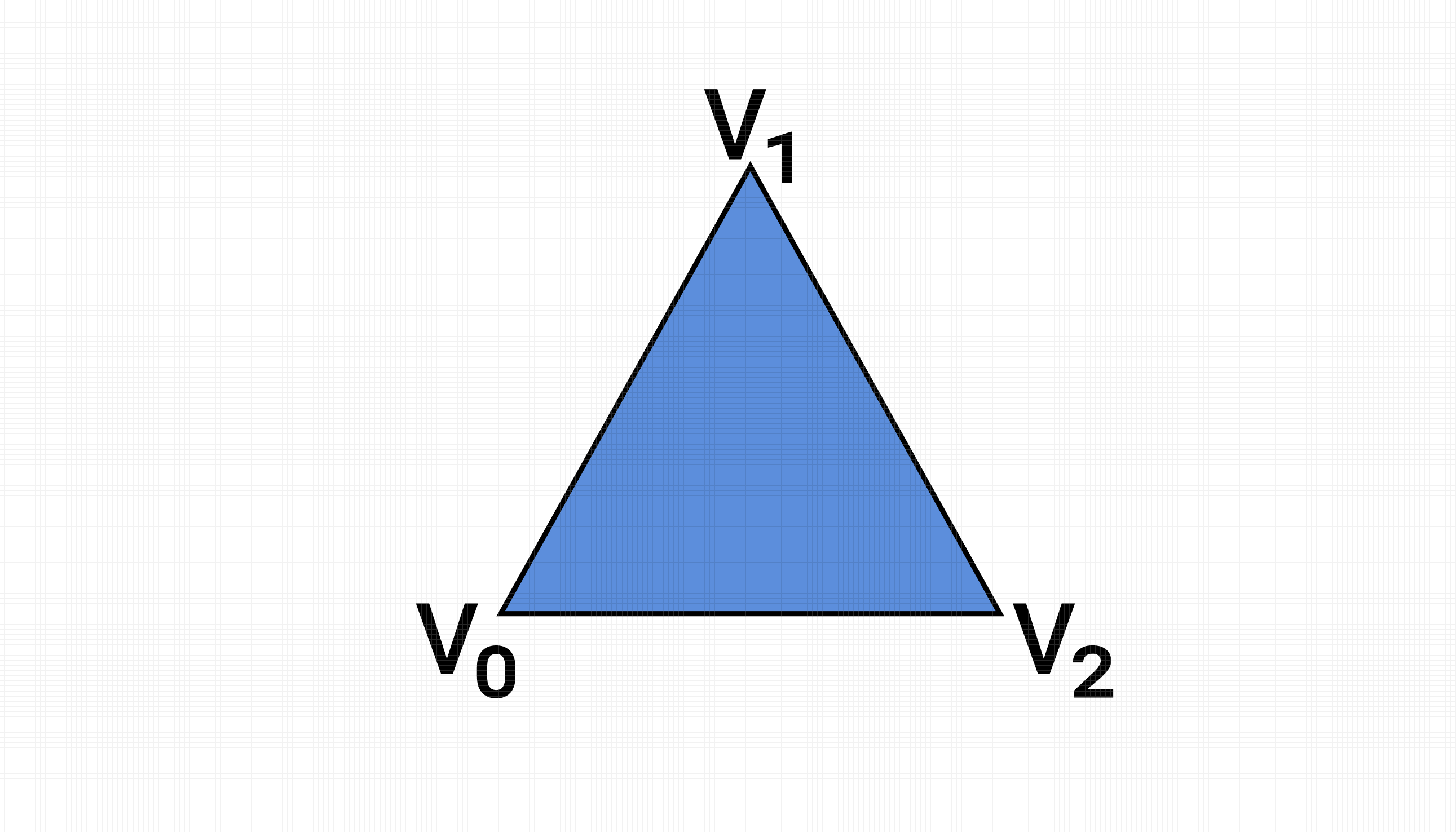
Vertices used to draw this shape: [V₀, V₁, V₂]
Draw Call: gl.drawArrays(gl.TRIANGLES, 0, 3);
6. gl.TRIANGLE_STRIP
This primitive is similar to gl.LINE_STRIP and is used to draw multiple connected triangles.
Let's see the illustration then it will be easy to understand:
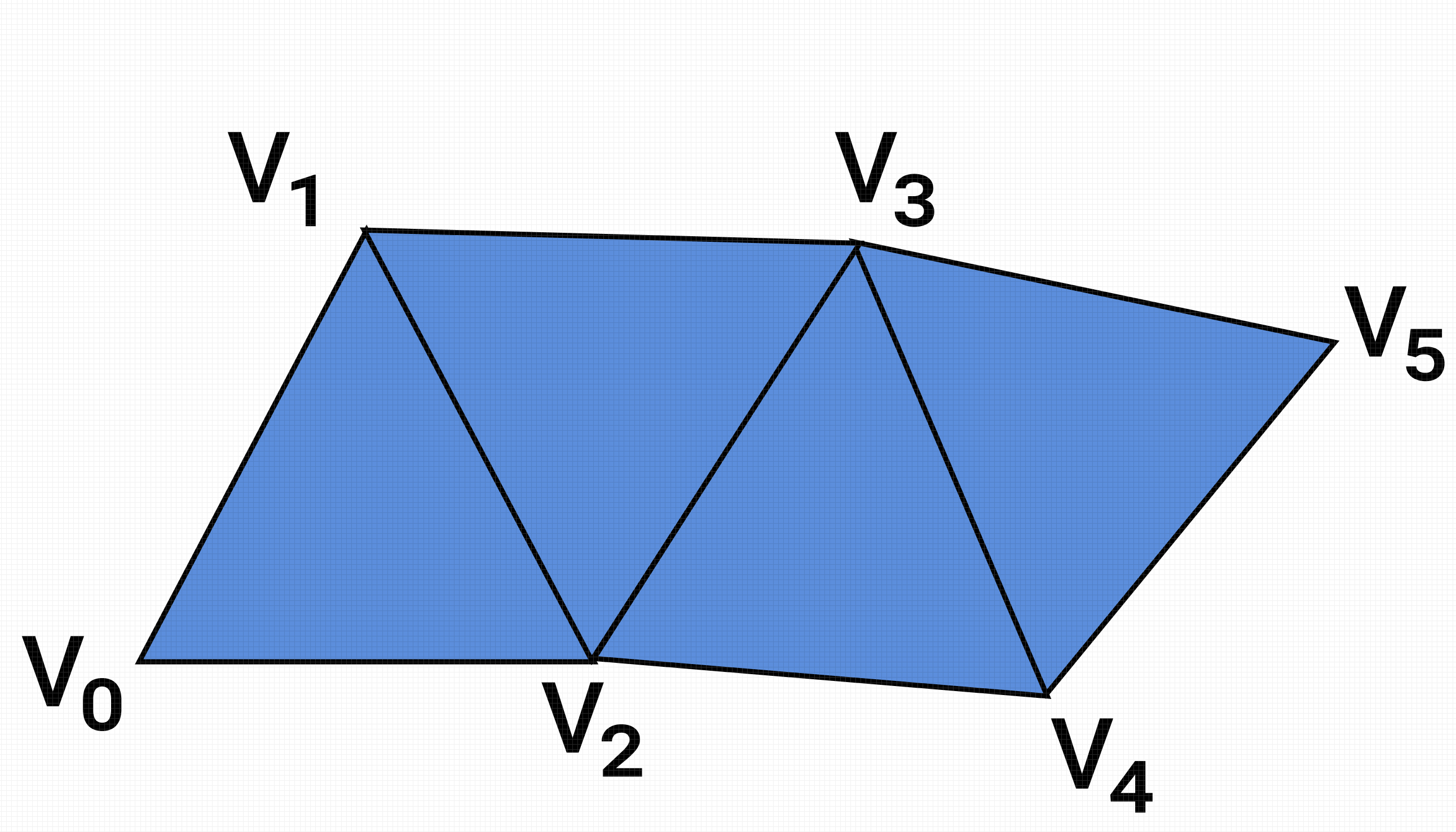
Vertices used to draw this shape: [V₀, V₁, V₂, V₃, V₄, V₅]
Draw call:
gl.drawArrays(gl.TRIANGLE_STRIP, 0, 6);
The first three vertices are used to draw the first triangle. After that, each new vertex, together with the last two vertices of the previous triangle, forms a new triangle.
This makes gl.TRIANGLE_STRIP very memory-efficient, as adjacent triangles share vertices.
It is commonly used to create quadrilaterals, terrain meshes, and connected surfaces. We will explore this primitive in more detail in later chapters.
7. gl.TRIANGLE_FAN
This primitive is used to draw multiple triangles that share a common center vertex, forming a fan-like pattern.
Let’s look at the illustration first — it will make the idea clear:
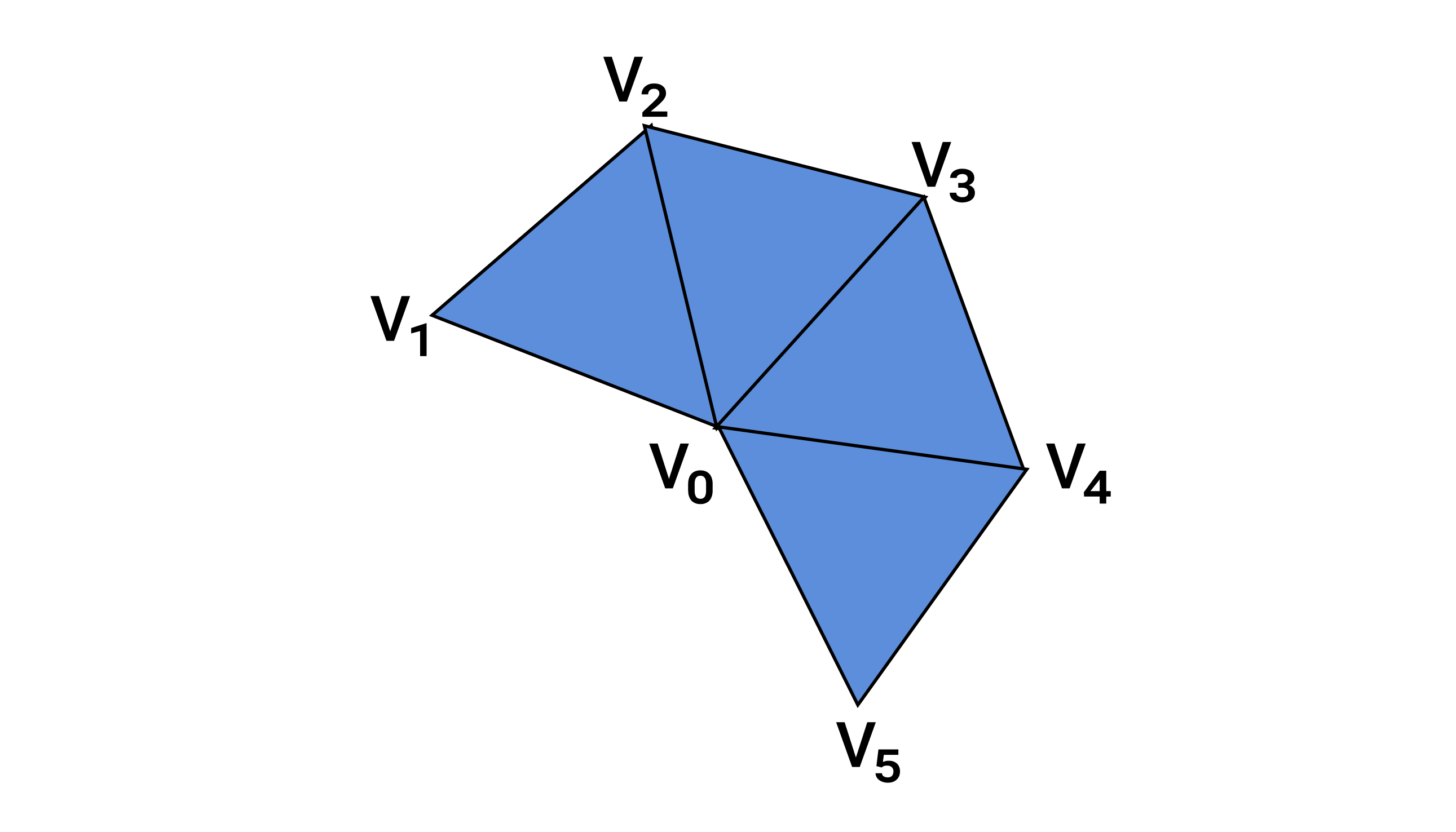
Vertices used to draw this shape: [V₀, V₁, V₂, V₃, V₄, V₅]
Draw call:
gl.drawArrays(gl.TRIANGLE_FAN, 0, 6);
The first vertex (V₀) acts as the center of the fan.
The first three vertices form the first triangle.
After that, each new vertex, together with the center vertex (V₀) and the previous vertex, forms a new triangle.
This also makes gl.TRIANGLE_FAN memory-efficient, since many triangles reuse the same center vertex.
It is commonly used to draw circles, disks, cones, and radial shapes.