WebGL: Coordinate Space
In the chapter Draw Multiple Points, we drew three points on the canvas with the coordinates(0, 0.5), (-0.5, -0.5), and (0.5, -0.5).
You might be wondering what these numbers actually mean and how they relate to the size of the canvas.
In other words, what coordinate system does WebGL use, and what is its scale?
To answer that, we first need to understand the coordinate space that WebGL works in.
WebGL uses a coordinate system called Normalized Device Coordinates.
Normalized Device Coordinates (NDC)
NDC is a coordinate space where each axes goes from [-1, 1], Let's understand with a illustration:
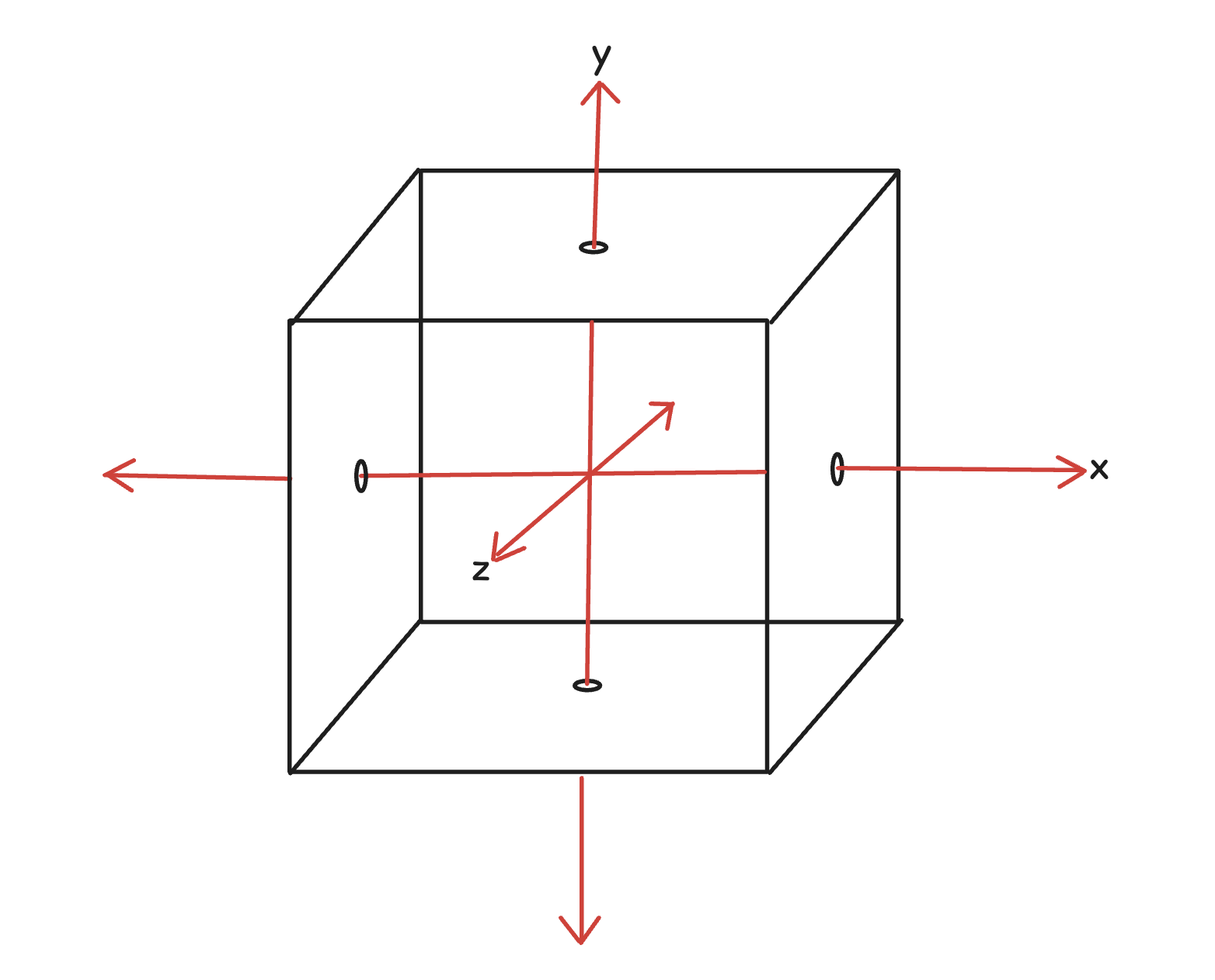
Normalized Device Coordinates simply means that no matter the actual size of the canvas or screen, WebGL uses a fixed coordinate range from -1 to +1 along each axis.
This range is often visualized as a 2-unit wide cube, as shown in the figure above. Anything you want to draw must lie inside this cube—this cube is the entire drawing space available to you in WebGL.
So we can conclude that even if the canvas is rectangular, the coordinate range in WebGL is still fixed from -1 to +1 on both the X and Y axes. This also means that 1 unit on the X-axis is not necessarily equal to 1 unit on the Y-axis in terms of actual pixels. The coordinates are normalized, not pixel-based, and are stretched to fit the canvas dimensions.
Let's see a few illustrations to understand this:
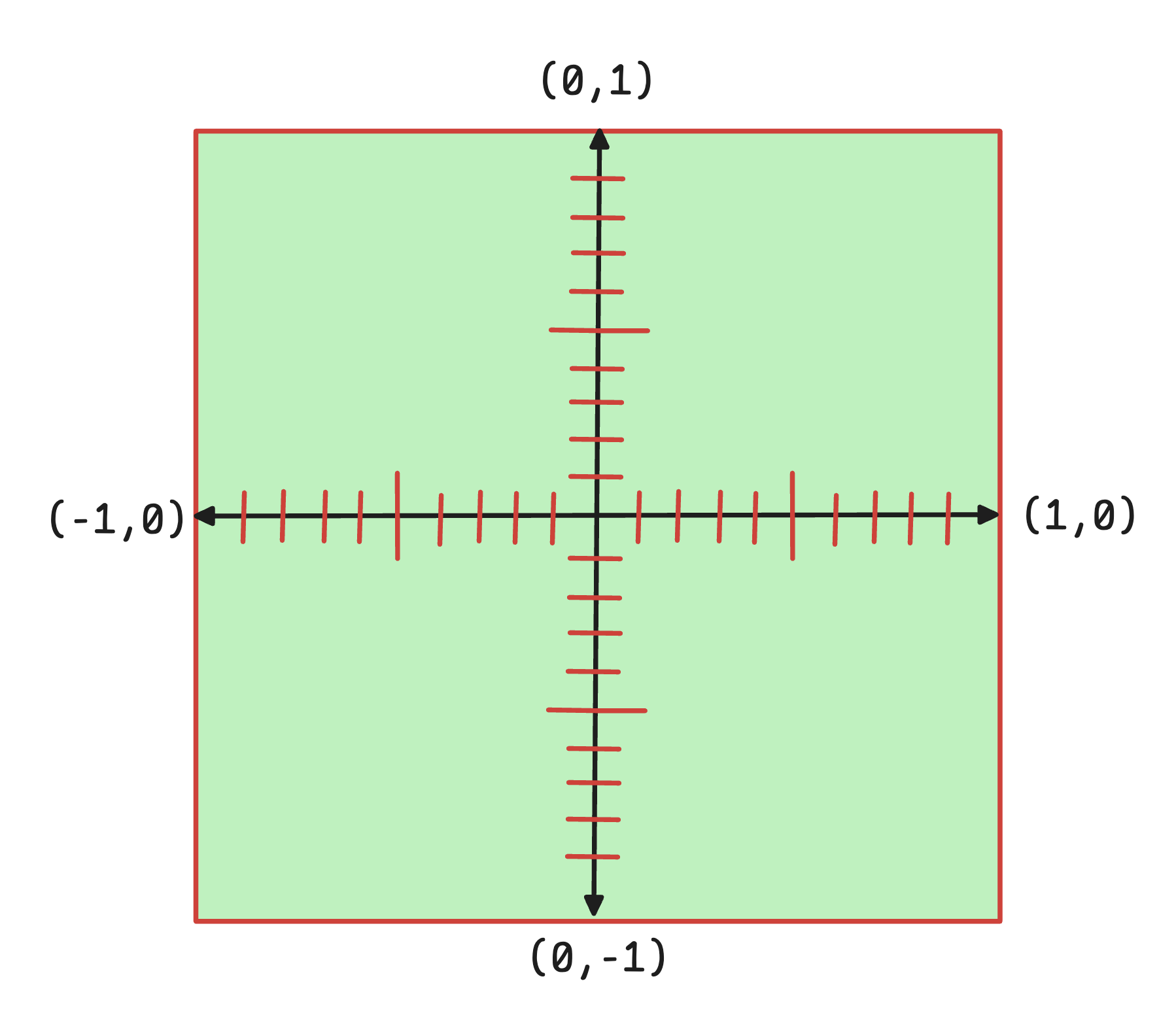
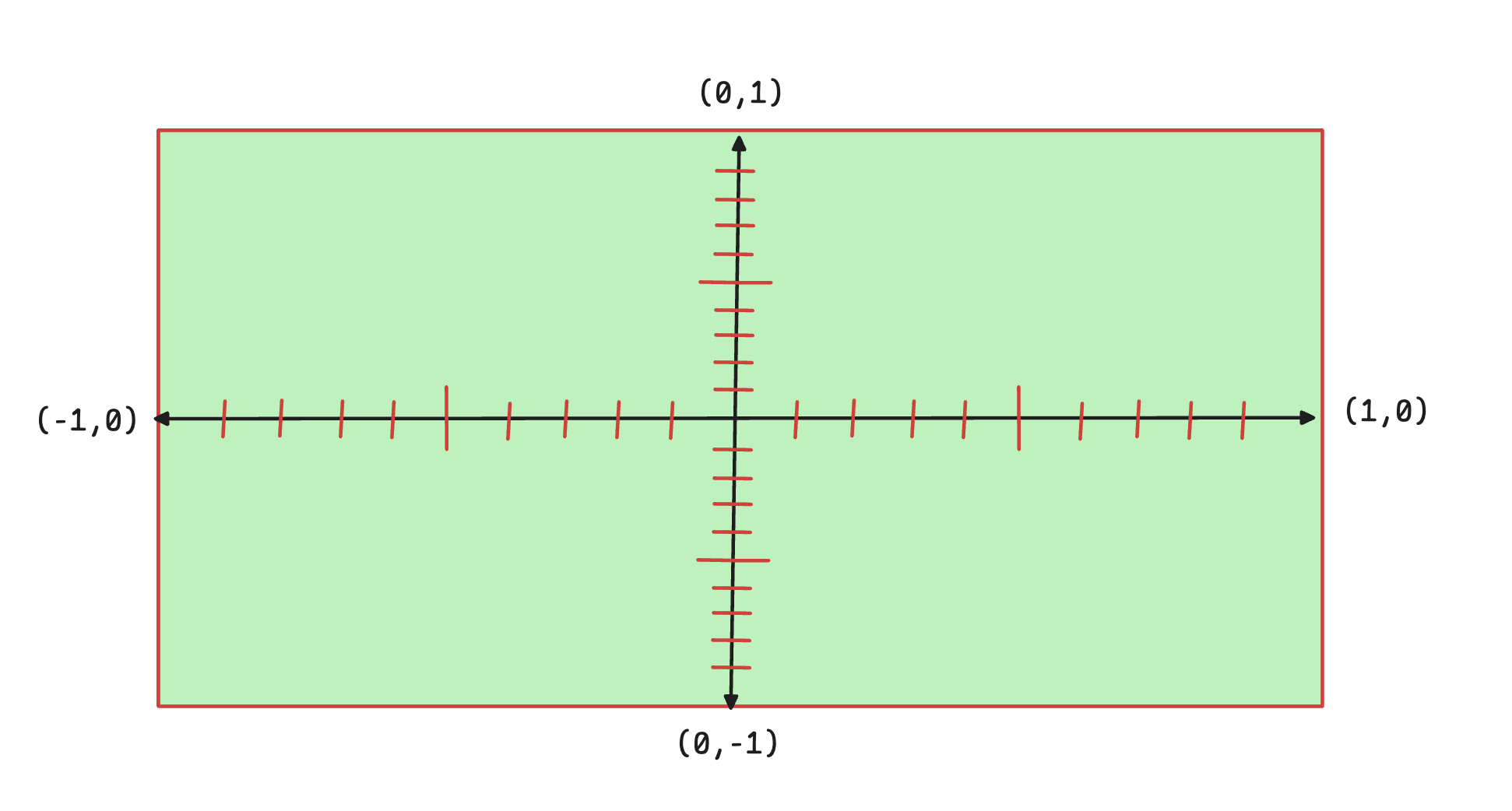
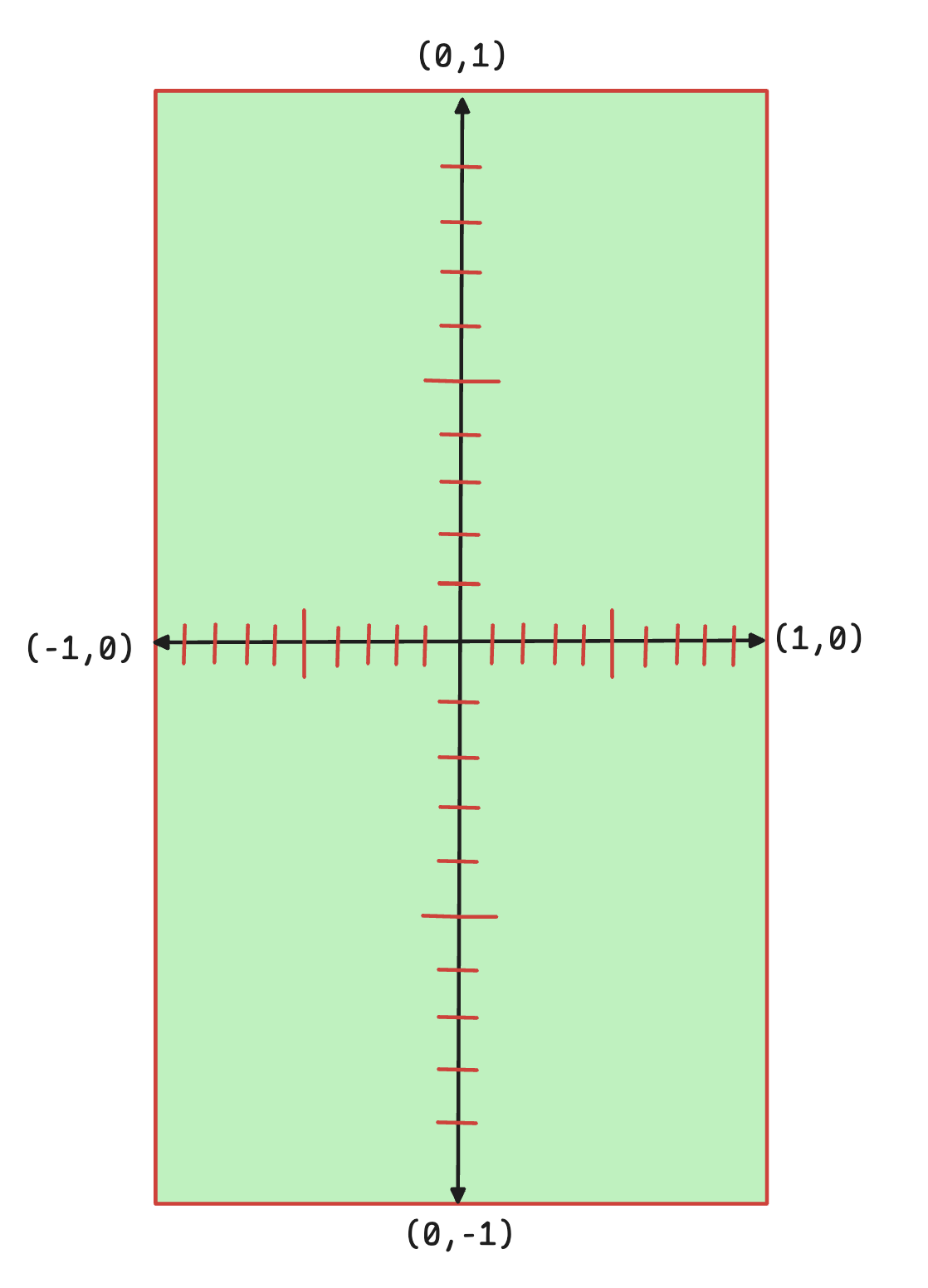
This unequal unit length must be handled carefully; otherwise, whatever you draw may appear stretched or squished on rectangular canvases. We will learn how to fix this in chapter Fixing Aspect Ratio.
Note: This chapter only scratches the surface of the WebGL coordinate system. As we move to 3D rendering, we will explore this topic in much more depth—covering the left-handed vs right-handed coordinate systems, how to use the z- axis, how to render 3D scene on 2D screen etc.